

Wix vs Squarespace: Pick One, or Skip Both
Quick answer
For most Australian small businesses, Wix vs Squarespace comes down to fit: Wix wins on price and tools, Squarespace on design polish.
- Wix: lower price, more flexibility, built-in business tools
- Squarespace: polished design and a calmer, more structured editor
- Both hit the same limits on speed, control and AI-search visibility
- Once your site is a real sales channel, a custom build usually wins

If you're weighing up Wix vs Squarespace for an Australian small business, you've narrowed it to the two best drag-and-drop builders going. With 2,729,648 actively trading businesses in Australia as of mid-2025, most of them small, choosing the right website platform is a call millions of owners have to make. This guide answers the comparison honestly first, feature by feature. Then it does the part most comparisons skip: telling you when the real answer is neither, because the SEO and AI-search side of a website is where templates quietly cost you customers.
What's the real difference between Wix and Squarespace?
Wix and Squarespace are both template-based website builders, but they trade on opposite strengths: Wix bets on flexibility and features, Squarespace bets on design polish and a calmer editing experience. Wix is the flexible all-rounder: free-form drag-and-drop editing, a huge template library, and a deep menu of built-in business features like bookings, a customer database and email marketing. Squarespace is the design-led option: a stricter grid-based editor, fewer but more curated templates, and an output that looks polished with almost no effort.
The trade-off is control versus guardrails. Wix lets you put anything anywhere, which is flexible and occasionally messy. Squarespace stops you making ugly choices, which is calming and occasionally limiting. Neither is "better" in the abstract. They suit different temperaments, so the honest comparison runs feature by feature, not as one verdict.
| Feature | Wix | Squarespace |
|---|---|---|
| Free plan | Yes, forever-free | No, free trial only |
| Templates | 2,000+ | About 150, curated |
| Editor style | Free drag-and-drop | Structured grid |
| Built-in business tools | Extensive | Lighter |
| Best suited to | Flexibility and features | Design polish |
Wix vs Squarespace: which costs less to run in Australia?
Wix is usually the cheaper entry point, while Squarespace tends to win on value once you reach its mid-tier plans. According to Expert Market's 2026 comparison, Wix paid plans run from about US$17 to US$159 a month, and Squarespace plans from about US$16 to US$99 a month. Wix also has a forever-free plan, while Squarespace gives you a free trial only.
For an Australian business, that converts to roughly AU$26 to AU$245 a month for Wix and AU$25 to AU$150 for Squarespace, before you add GST. The headline gap between them is small. The bigger cost is the one nobody quotes you: the hours you spend building and maintaining the thing yourself. Cheap monthly hosting isn't the same as a cheap website, and a builder subscription you keep paying for years quietly adds up well past the price of a one-off build.
Wix vs Squarespace: which is easier to build with?
Squarespace is easier to make look good with almost no effort, while Wix is easier to make do exactly what you want once you're willing to invest the time configuring it. Squarespace's structured editor snaps every element into a tidy grid, so a first-timer ends up with something that reads as professional. Wix hands you a blank canvas and a far larger template library, a count Site Builder Report puts at more than 2,000 Wix templates, well ahead of Squarespace's curated set of roughly 150.
That freedom cuts both ways. Wix is faster for adding unusual features but slower to keep visually consistent across pages, where Squarespace is the reverse. The simple rule of thumb: pick Squarespace if you want a clean site finished this weekend, and pick Wix if you expect to keep bolting on new functions for years. For a brochure site you'll likely never touch again, that distinction barely matters. For a growing business, it matters a lot.
Which is better for online stores, Wix or Squarespace?
Wix generally suits smaller or feature-heavy stores that need bundled tools at a lower price tier, while Squarespace suits design-led catalogues where product presentation matters more than transaction-level control. Wix bundles more e-commerce tooling at lower plan tiers: abandoned-cart recovery, multiple payment gateways, dropshipping support and built-in bookings. Its cheapest store-capable plan also tends to undercut Squarespace's, which matters when margins are thin.
Squarespace counters with cleaner product pages and stronger built-in content tools. One detail worth checking before you commit, flagged in Zapier's comparison: Squarespace's entry commerce plan has carried a transaction fee of around 3%, while Wix's dedicated e-commerce plans add 0% on top of the payment processor's own cut. Both platforms connect to Xero, Australia's most widely used small-business accounting software, though the native integrations vary in depth. For most small stores the deciding factor isn't the feature list, which runs close, but whichever editor you'll actually keep using week to week. Sell a handful of products and that comes down to taste. Expect a growing catalogue and Wix's deeper lower-tier tooling tends to pay off sooner, with the saved transaction fee compounding on every sale.
Wix vs Squarespace: which is faster, and better for SEO?
On raw speed Squarespace generally has the edge over Wix, and on SEO control both builders are merely adequate for anything beyond a low-competition local search. Independent performance testing by Ecommerce Gold found Squarespace sites loading noticeably quicker than equivalent Wix sites, which matters because page speed feeds both conversion rates and Google rankings.
Both builders cover the SEO basics: editable page titles, meta descriptions, clean URLs, automatic sitemaps and mobile-responsive output. Both let you add some schema markup and connect Google's tools. Where they fall short is the deeper layer: limited control over how code loads, restricted ability to fine-tune Core Web Vitals, and template HTML you can't fully reshape. That ceiling is fine for a low-competition local search. It runs out of road exactly when a competitive niche, the kind that can take 12 months of work to crack, demands more.
So which one should you actually choose?
If you must pick between the two, choose Squarespace for a design-led brochure site and Wix for a feature-led business site. It's close. Here's the working, scored on criteria that matter to a small business.
| Criterion | Weight | Wix /10 | Squarespace /10 |
|---|---|---|---|
| Editor and ease of use | 25% | 7 | 8 |
| Pricing and value | 20% | 8 | 7 |
| Online store and payments | 20% | 8 | 7 |
| Design quality out of the box | 15% | 7 | 9 |
| Apps, integrations and flexibility | 10% | 9 | 6 |
| Speed and technical SEO control | 10% | 6 | 6 |
These scores reflect editorial judgement weighted across the criteria shown; they are not drawn from external research or third-party benchmarks.
Weighted out, Wix scores 7.5 and Squarespace 7.35, a rounding-error gap. But look at the bottom row: both score 6 on speed and technical SEO control, the lowest mark on either card. That weak spot is why the comparison can't stop here.
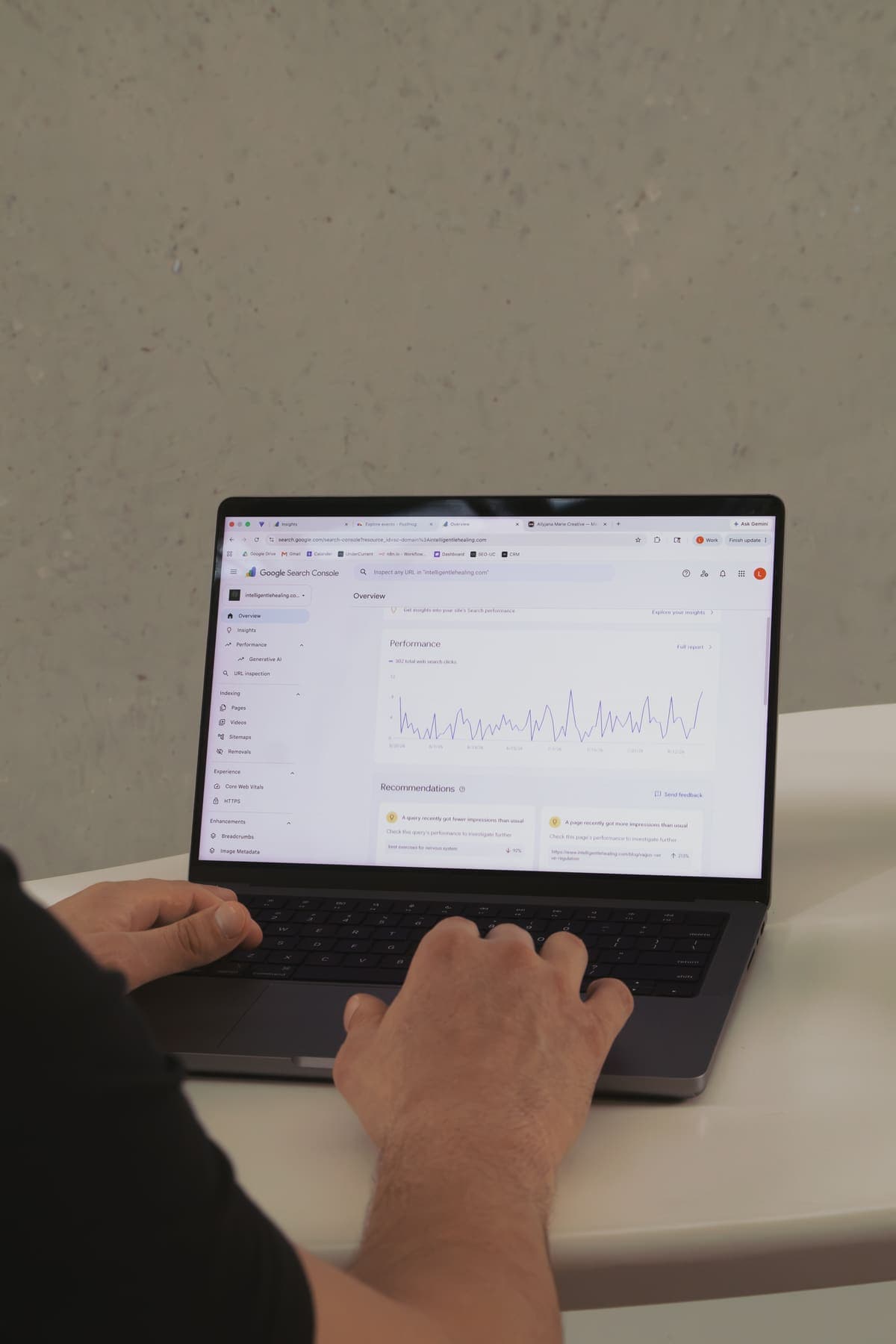
Where do Wix and Squarespace both hit a ceiling?
Every template builder shares one structural ceiling: you rent the platform, so you never fully own the performance, the code or the search visibility. This isn't a knock on Wix or Squarespace specifically. It's true of all hosted builders, and it shows up in four places that decide whether your website earns its keep.
Four ceilings every template builder shares
- Speed: templates ship with code you didn't write and can't fully strip, so even a fast builder carries weight a hand-built site doesn't.
- Technical SEO: you get the basic dials, not the deep ones that win competitive niches.
- AI-search visibility: the biggest gap, because answer engine optimisation needs structure a template fights you on.
- Ownership: your content, your design and your traffic history all live inside a system you can't export cleanly or take with you.
A builder rents you a shopfront. It never sells you the building.
How do templates limit AI-search visibility?
AI search rewards clean, structured, fast-loading pages with direct answers surfaced early, and that's exactly where rented templates consistently fall short of what a purpose-built site can deliver. Tools like ChatGPT Search, Perplexity and Google's AI Overviews don't just rank pages, they read them, extract answers and decide what to quote. Google launched AI Overviews in 2024, and an AI summary now sits above the blue links for a large share of searches.
Getting cited depends on the parts of a page a template hides from you: precise FAQ schema, a direct answer in the first 40 to 60 words of every section, and server-rendered content an AI crawler can read without running JavaScript. Google publishes structured-data guidelines for exactly this, and a custom site treats them as build requirements. A template treats them as settings buried three menus deep, if they exist at all. That's the difference between AI search optimisation and generative engine optimisation working for you or against you.
How do template-built sites score in our content audit?
We score pages for AI-search readiness on a 100-point rubric, and template-built sites consistently land in its bottom half. These figures come from the UnderCurrent Article Reviewer, our rubric version 2.0.0, as of May 2026.
| Cohort | n | Mean /100 |
|---|---|---|
| Whole audit corpus | 196 | 56.7 |
| Website-builder pages | 1 | 35.0 |
| UnderCurrent's articles | 31 | 87.1 |
UnderCurrent Article Reviewer v2.0.0, as of May 2026.
Across 196 audited articles the mean is 56.7 out of 100, and our own articles average 87.1. The lone website-builder page scored 35, one data point, but consistent. Our agency-wide AI search audit finds the same pattern.
What surprised us when we audited 196 articles for AI search?
Three things from auditing 196 articles hit harder than the raw scoreboard alone shows, and all three trace back to structure, not talent or budget. First, the weak pages weren't badly designed, they were badly structured: answers buried below the fold, thin schema, and content that needed JavaScript to appear. A template makes the first mistake easy and the next two almost mandatory. Second, the cheapest fix was never a redesign. Moving a direct answer into the first two sentences of a section is a job of about 30 minutes, and it lifts a page more than a month of restyling ever does. Third, the roughly 30-point gap between the 56.7 corpus average and our own 87.1 had nothing to do with budget or talent. It came down to whether the page sat on a foundation that lets you control structure, or one that hides it from you. That's the quiet cost of a template, and it shows up on no pricing page.
When does a custom website beat a builder?
A custom website wins the moment your site stops being a brochure and starts being a sales channel you compete on. If customers find you through search, if AI engines could be recommending you, or if page speed is costing you enquiries, a hand-built site earns its cost back. You get full control of code, schema, local SEO signals and Core Web Vitals, plus content you genuinely own and can move to any platform later.
The honest framing is build-or-buy timing, not build-versus-buy forever. A template gets you online and tests demand. A custom build is the right tool once the site does real commercial work. Use the checklist below to find which side of that line you're on.
Custom-build trigger checklist
This is the work we do: we build sites custom rather than on templates, and you can see how we approach website builds. Our south-east Melbourne plumber SEO project for a client shows what that control over structure does for a local trades business.
Should you stay on Wix or Squarespace?
Yes, you should absolutely stay on a builder if your site is a side project, a brand-new venture or genuinely tight on budget. This is the honest segmentation; skipping it would make the custom-build case dishonest.
A template is the right call in three clear cases
- Stay on a builder if your site is a hobby project that doesn't need to win customers from search.
- Stay if you're very early-stage, still testing whether the idea works, because a custom build before proof of demand is the wrong order.
- Stay if your budget genuinely tops out at a few hundred dollars a year, since a half-finished custom site is worse than a tidy template.
Given that 98% of Australian businesses are small, plenty of owners sit in these cases, and a builder is a sensible start. It just shouldn't be the finish once your website has a real job. For what a site built for visibility should contain, see our website experience and design hub.
Sources
- ABS: Counts of Australian Businesses, latest release
- Expert Market: Wix vs Squarespace 2026 comparison
- Site Builder Report: Wix vs Squarespace
- Zapier: Wix vs Squarespace
- Ecommerce Gold: Wix vs Squarespace speed and performance testing
- Google: new generative AI experiences in Search (AI Overviews launch)
- Google Search Central: structured data guidelines
- ASBFEO: number of small businesses in Australia
Frequently asked questions
How long does it take to build a site on Wix or Squarespace?
Building a basic site on Wix or Squarespace usually takes a focused person 1 to 2 weeks, including writing the content, choosing a template and setting up pages. Squarespace tends to be quicker to a tidy result, because its grid editor makes fewer decisions for you to get wrong. A more complex Wix site with bookings or a store takes longer. The build is rarely the slow part, though. Gathering photos, copy and product details is what stretches the timeline.
Is the Wix free plan good enough for a business website?
The Wix free plan is fine for testing the editor, but it isn't good enough for a real business website. It shows Wix branding, doesn't let you connect your own domain name cleanly, and limits storage and features. For anything customers will see, you need a paid plan so the site reads as professional and ranks properly. Treat the free plan as a trial, then move to a paid plan, or skip straight to a platform you control.
Can I move from Wix or Squarespace to a custom site later?
You can move from Wix or Squarespace to a custom website, but it's a rebuild rather than an export. Both builders lock your design and page structure inside their system, so a developer recreates the site instead of transferring it. Your written content, images and domain name come across, and your search history can survive if the migration handles redirects properly. Plan the move for when the site has a clear commercial job, not as a panicked emergency.
Does Wix or Squarespace own my website content?
You own the words and images you upload to Wix or Squarespace, but you don't own the design, the code or the platform itself. That's the real ownership gap: your content is portable, your site isn't. If either builder changes pricing, features or terms, you adapt or you rebuild elsewhere. A custom website removes that dependency, because the code and structure belong to you and can move to any host you choose.
Is Wix or Squarespace better for a one-person business?
For a one-person business, Squarespace is often the better builder, because its structured editor produces a professional result with less time and less fiddling, which matters when you're the whole team. Wix suits a solo operator who wants bookings, a store or marketing tools built in and is happy to invest more setup time. Either works at this size. The platform only becomes a real limit once search visibility starts driving the business.
Do Wix and Squarespace work for local SEO in Australia?
Wix and Squarespace both handle the basics of local SEO well enough for an Australian small business: page titles, location pages, and a link to your Google Business Profile. For a low-competition suburb or trade, either is fine, and you can rank within 6 months of steady work. In a competitive city market, the template ceiling on speed and technical control becomes the bottleneck, and a custom build is what lets you compete properly.